Home › Services › Real estate models
Real estate models, built from your documents and checked
Send us the offering memorandum. That’s all we need. A T-12, a rent roll and the leases help if you have them. You get back an Excel underwriting model with every input traced to the page it came from, and every figure checked before it reaches you.
Coming soon
What people use it for
- A first look at a deal. The memo’s numbers in a working model, so you can see the returns before you spend a day on it.
- Checking the broker’s story. The memo’s claims set next to its own figures, with every gap named.
- Lender and partner files. Sources and uses, the loan, cash flow by month and by year, and the sale.
- Portfolios. Several properties in one workbook, each on its own tabs, rolled up into one.
Property types
Apartments, office, retail, industrial, flex, hotels, self storage, parking, healthcare and land, each modeled the way that kind of property earns its money: rents and leases, nightly rates, beds, spaces or a land sale.
What’s in the workbook
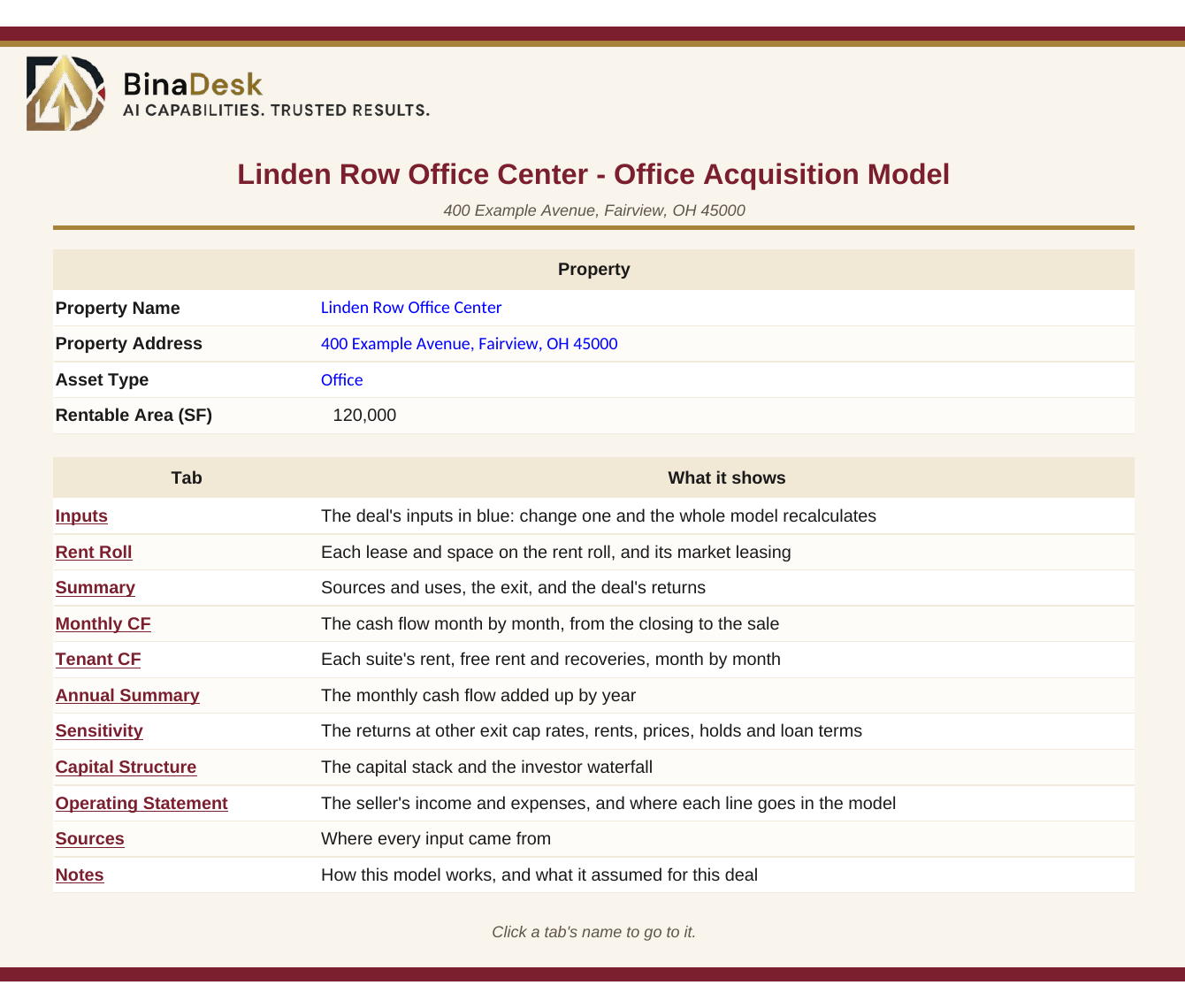
It opens on a cover that lists every tab. Click a tab’s name to go to it.
| Tab | What it shows |
|---|---|
| Inputs | Every assumption in one place, in blue, each with the document and page it came from. |
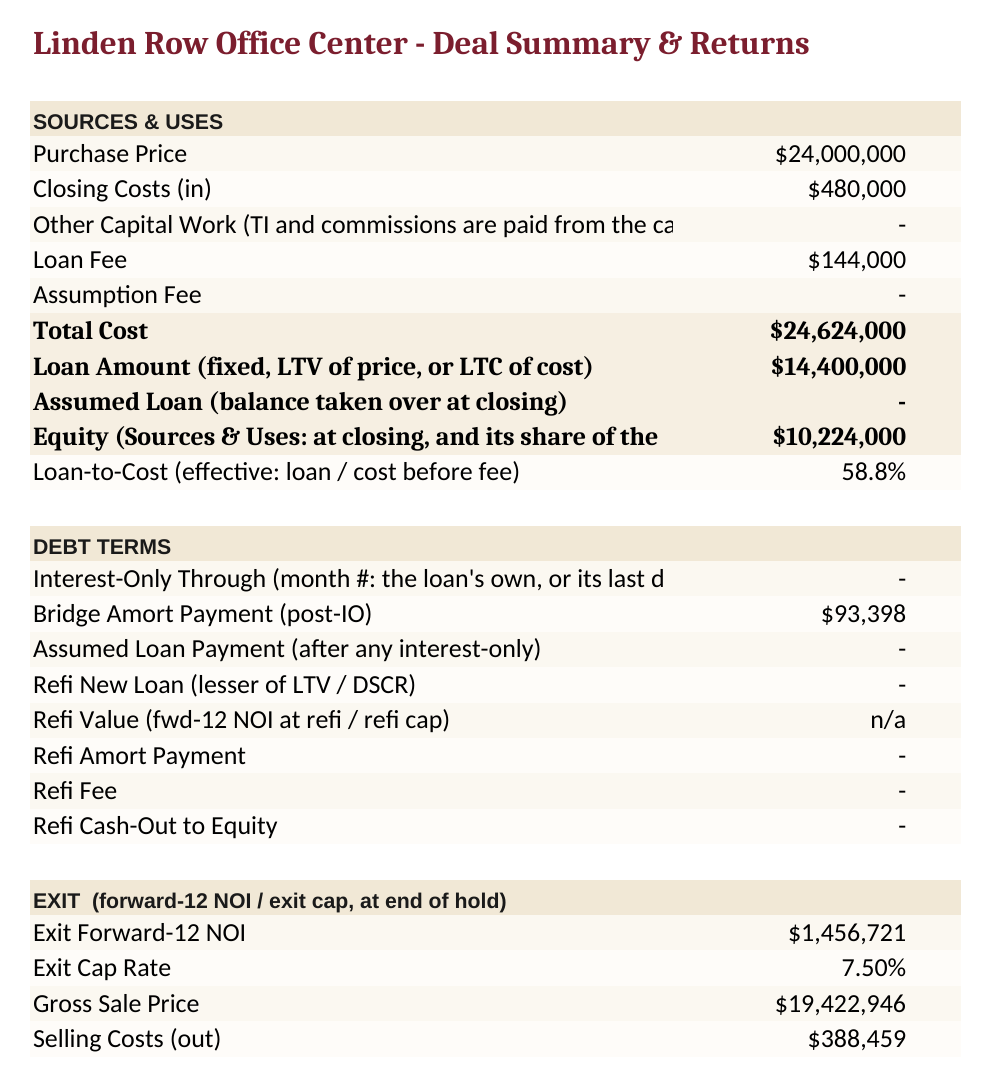
| Summary | Price, total cost, the loan, the equity, and the returns: IRR, equity multiple and cash on cash. |
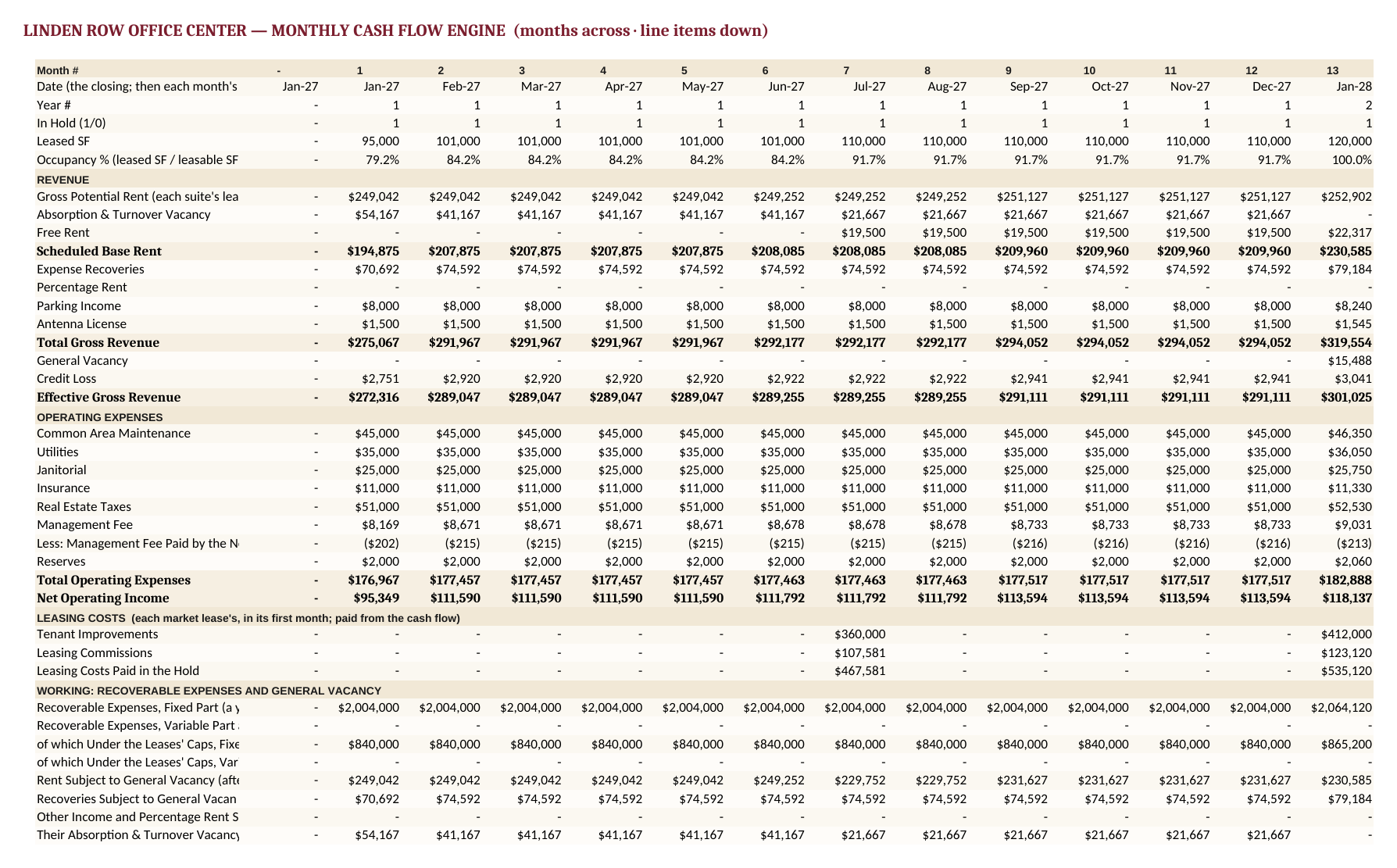
| Monthly CF | Income, costs, net operating income, the loan and cash flow, month by month over the hold. |
| Annual Summary | The same cash flow, one column per year. |
| Sensitivity | How the returns move when the exit cap rate, rents or price change. |
| Capital Structure | Sources and uses: where the money comes from and where it goes. |
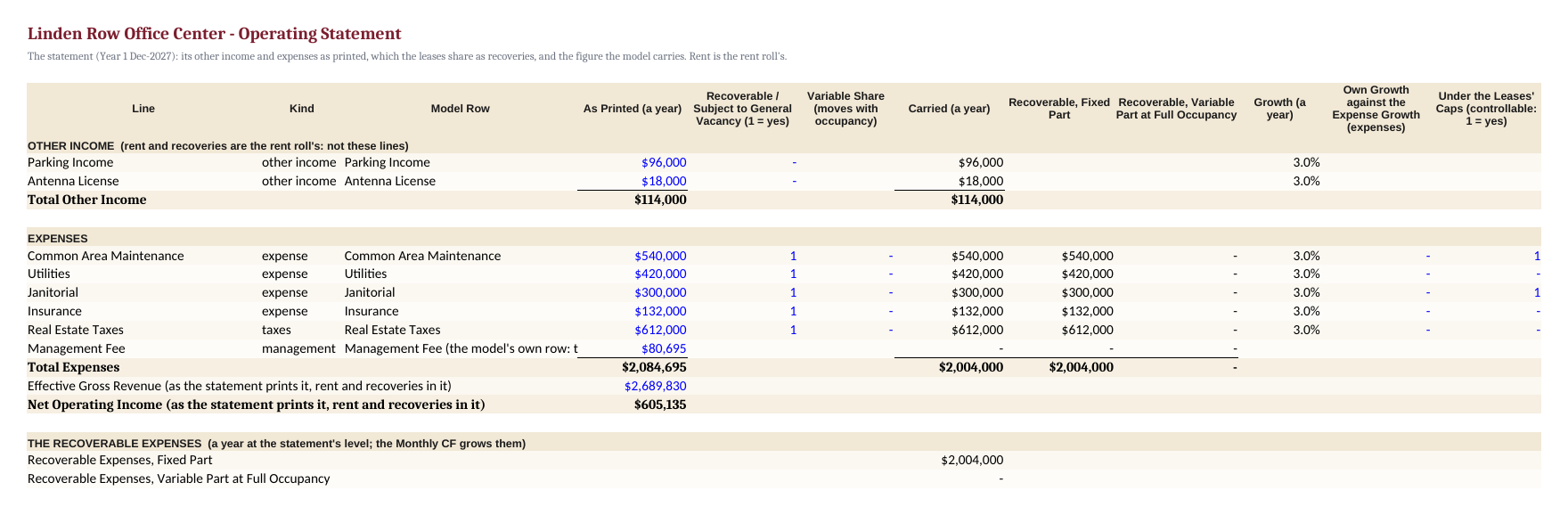
| Operating Statement | The seller’s operating statement line by line, next to the figures the model carries and why any differ. |
| Sources | Each figure, the file and page it came from, and the words printed there. |
| Notes | What the model assumes, what it left out and why, and anything still open. |
Every result is an Excel formula, so the model updates when you change an input.
Office, retail and industrial models also get a Rent Roll tab and a month-by-month cash flow for each tenant.
See a sample
Made with a made-up office building, so every name and figure is invented.
How we check every model
Every real estate order goes through up to 52 accuracy checks before the model reaches you. Among them:
- Every input is traced to the page it came from. A figure we can’t find in your documents is asked about, not made up.
- Every figure is worked out twice. The model’s results are recalculated separately, and the two have to match.
- Your documents add up. The memo’s tables, and any T-12 or rent roll you send, tie to the totals they print.
See the checks in detail in our guide, How to check an AI-built real estate model.
Questions
Which property types can I send?
Apartments, office, retail, industrial, flex, hotels, self storage, parking, healthcare and land. You can also send several properties together as one portfolio.
What do I need to send?
The offering memorandum is enough. If you have a T-12, a rent roll or the leases, send them too, and the model uses them. Send them in any format you have: PDFs, Excel, Word, scans, photos, drawings or CAD files.
Can I change the assumptions?
Yes. Every input sits on one tab in blue, and every result is an Excel formula, so changing a rent, a cap rate or the loan updates the whole model.
What if my documents don’t agree with each other?
We don’t pick one quietly. If the rent roll and the memo disagree, or a month looks out of line, we ask you, in plain words, and the model says which figure it used and why.
Is it an appraisal or an investment recommendation?
No. It’s a model of the deal built from your documents, for you to underwrite with. It isn’t an appraisal, a valuation opinion or investment advice.
Coming soon
Want to hear when it opens? Write to info@binadesk.com. In the meantime, our bank statement service is open and free during the beta.